

Property operations software for multifamily teams

Know every job was actually done.

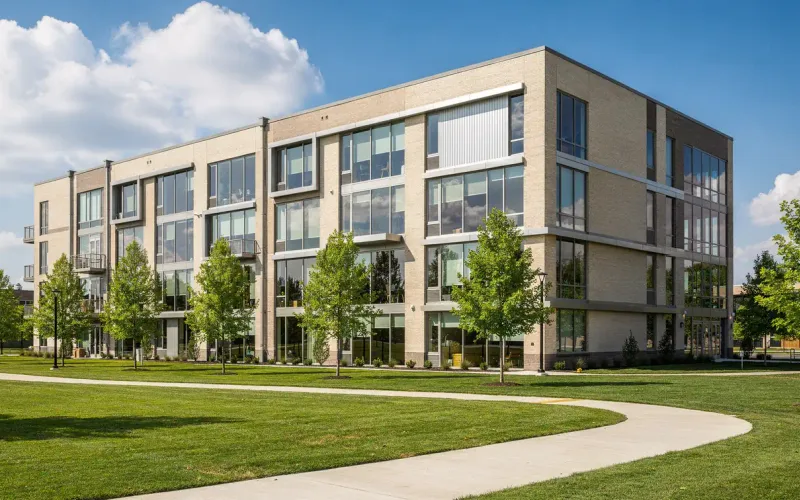
Light brick and glass apartments beside a green lawn under a bright blue sky

A work order can’t close until your team attaches a photo of the finished work and a reviewer signs off. One ranked queue shows what’s at risk and who owns it, across every property.

No card, and no resident information is needed to sign up.

Questions? Contact us

Photo proof on every closeout

a job can’t close without one

Who owns the next step

and a flag when no one does

The exact location

the unit or the common area

Product tour

Management, tenants and vendors in one place.

A 64-second tour with example data and no sound.

Illustrative · example data. The Free plan, for up to 100 active units and 3 outside owners, does not include texting.
Read the tour as text
  1. Phone notifications pile up: missed calls, texts and voicemails. On screen: Calls. Texts. Voicemails.
  2. On screen: Property work is scattered.
  3. The Tenant Office logo opens like a door. On screen: One place for the work. Management, Tenants, Vendors.
  4. 01, Management. On screen: Start with Today. A photo of a leasing team at a tablet zooms into the Tenant Office web app, shown with example data.
  5. On screen: Today’s work, one view. The Today page lists open work orders, most urgent first, with overdue items and review status.
  6. On screen: In-app assistant, preview. Ask. Get cited answers. A manager opens the in-app assistant and asks which work orders are open; the answer lists the records it used. Answers can be wrong. Check the records.
  7. On screen: In-app assistant, preview. Nothing changes until you confirm. The assistant proposes a new due date and assignee for one work order and waits. The manager clicks Confirm change, and the change shows Done.
  8. 02, Tenants. On screen: Report it from a phone. No app to install. A photo of a resident looking at her phone zooms into the resident portal.
  9. On screen: Photo in. Right unit. A resident adds a photo to a service request for their own unit and sends it.
  10. On screen: Texting assistant. Or just text it. In an example text thread, a resident sends a leak photo and the automated assistant offers to file it for Unit 204 if they reply YES.
  11. On screen: Reply YES. It’s filed. The resident replies YES and the assistant confirms work order WO-4182.
  12. 03, Vendors and technicians. On screen: Jobs reach the crew. A photo of a staff member with a tablet zooms into the vendor portal on a phone.
  13. On screen: Vendors accept the job. A vendor taps Accept job and the job shows Accepted. No amounts are shown to vendors.
  14. On screen: Techs open My jobs. A technician’s jobs list shows the visit window and the entry and pets details.
  15. On screen: No photo, no closeout. A vendor adds a photo of the completed work and submits it for review; it shows Submitted, awaiting staff review.
  16. On screen: Texting assistant. Accept by text. In an example text thread, the automated assistant offers a vendor job WO-4182 and the vendor accepts it by replying YES 7731.
  17. On screen: Photos for review. The vendor texts a photo of the finished work and done, and the assistant sends it to a reviewer to accept.
  18. On screen: Emergency words get 911 guidance. STOP always works. Example threads: someone texts that there is smoke in the hallway, and a person who texts STOP gets the automated opt-out confirmation.
  19. Tenant Office. Start free, for up to 100 active units and 3 outside owners. No card. tenantoffice.com
  • Management

    Today’s work in one view. Ask the in-app assistant (preview), and confirm any change it proposes.

  • Tenants

    Report a repair from a phone, with a photo, for the right unit. No app to install.

  • Vendors and technicians

    Vendors accept the job. Technicians open My jobs. No photo, no closeout.

  • Texting assistant

    Text a photo, reply YES to file it, accept a job by text. STOP always works.

Proof on every job

No photo, no closeout.

A job can’t be marked Completed until a photo is attached and a reviewer accepts the work.

Start free for up to 100 active units and 3 outside owners

How a job closes

  • Your maintenance team attaches a photo of the finished work
  • A reviewer accepts the closeout, or returns it with a written reason
  • No role, setting or status button can skip either step
WORK ORDERNEXT OWNERPRIORITYSTATUSWO-4182Kitchen sink leakHarbor Point · Unit 204DRDana R.UrgentIn progressWO-4178Hallway light outJuniper Row · Floor 3MBMarco B.NormalScheduledWO-4175Window seal repairAlder House · Unit 11PNPriya N.NormalOpenWO-4166Gate keypad faultJuniper Row · EntrySOSam O.LowOpen
Required evidenceUploaded by maintenance-scoped rolesPhoto of completed workIMG_2841.jpg · 1.2 MBAttachedCompletion noteAdded by Dana R.AttachedParts and costRequired to closeMissingCloseout stays locked until the required evidence is attached.Close work order

Illustrative work queue and closeout checklist · example data.

A system of attention

Stop reading dashboards. Start working the exceptions.

The queue ranks what is actually at risk across the portfolio, names who owns it, and links straight into the record.

Property operations team coordinating plans and maintenance work
  • Open and overdue work across every property, ranked in one view
  • Due dates, a flag on unassigned work, and a link to each record
  • A next-owner line that says who owes the next decision
  • Returned work carries the reviewer’s written reason
See pricing

Resident service

The request arrives with its own context.

Residents submit requests from their own login, so each one arrives tied to the right unit. Nobody retypes an address.

Lease context

See the resident and lease behind every request.

Recorded progress

Status and every update your team records, in one history.

From a phone, with no app to install, a resident can:

  • Raise a request against their exact unit
  • Attach a photo to it
  • Read their own lease, balance and documents

Rent is still paid the way your property already collects it.

Resident using a mobile service experience in a welcoming apartment lobby
SERVICE RECORD

Kitchen sink request

Illustrative request · example data

Texting assistant

Work orders by text.

Residents and vendors text your organization’s number, and an automated assistant answers. Nothing is filed until the person replies YES.

  • Residents text a repair photo and reply YES to file it for their own unit
  • Vendors accept a job by text
  • Emergency words get the fixed 911 guidance, and STOP always opts the phone out
  • Your team asks the in-app assistant (preview) and confirms any change it proposes
See how the texting assistant works

Harbor Point maintenance

  1. Texted:Photo · IMG_2841.jpg

    The kitchen sink is leaking under the cabinet

  2. Assistant replied:

    Tenant Office automated assistant, not a person. I can file “Kitchen sink leak under the cabinet” for Unit 204 with your photo. Reply YES to file it.

  3. Texted:

    YES

  4. Assistant replied:

    Filed as WO-4182 for Unit 204.

Illustrative conversation · example data.

The Tenant Office platform

The same accountability, everywhere the work goes.

Maintenance, money, residents, owners and vendors on one record and one audit trail.

Every job carries its own proof.

A ranked queue that shows the next action on every job.

  • The exact unit, the due state and a flag on unowned work
  • No closeout without a photo, whatever the user’s role
  • A next-owner line, or “no one yet — assign a responsible team member”
  • Vendors need a staff-verified, current certificate to be assigned or dispatched
  • Dispatch records the vendor, the scope agreed and the amount authorized
OCCUPANCY94.8%+1.2%COLLECTED$842K96%OPEN WORK142 urgentPortfolio occupancyPerformance by propertyThis monthHarbor Point97%Juniper Row94%Alder House89%HIGHEST IMPACTTwo work orders areoverdue and need review.Review open work

Illustrative workspace · example data, not customer results. This is a static illustration, not an interactive workspace.

Solutions by portfolio

6 kinds of portfolio. One package.

Confirm your property types when the workspace is set up and the specialist modules switch on.

  • No student edition
  • No compliance add-on
  • No tier that unlocks the ledger

Research

Research studies

Each study states its method, cites sources for monetary amounts and percentages, and lists what it could not confirm. Research, not legal or financial advice.

All research

Research

How seven property-management software vendors document online rent payment fees, separating posted fee schedules from resident payment-flow disclosures and pages that list no amounts.
Read the study

Research

How student-housing software vendors publicly describe by-the-bed leases, bed and unit assignment, roommate matching, parent and guarantor workflows, academic-year terms and turn season.
Read the study

Research

How commercial leases allocate and reconcile common-area maintenance (CAM) charges, from published professional guidance: pro-rata shares, denominators, gross-ups, caps, statement timing and audit windows.
Read the study

Pricing

Two plans. Every module in both.

Free for up to 100 active units and 3 outside owners, with no card. Manager covers any size for graduated active-unit pricing with a $49 monthly minimum per organization.

Free for up to 100 active units and 3 outside owners

$0per month, with no time limit

  • Every module, for every property type you confirm
  • Unlimited staff seats, companies and bank accounts
  • Unlimited residents and vendors
  • No card
  • Never turns into a paid plan by itself
  • One per business and its affiliates

Manager for any size

$49monthly minimum per organization

  • $0.75 per active unit for the first 1,000
  • $0.60 for the next 4,000
  • $0.45 above 5,000
  • Each rate applies only to the units in its band; the minimum is not an added fee
  • Every module, with no unit or outside owner limit
  • Month-to-month, billed in U.S. dollars
  • An administrator subscribes in Billing and cancels there
Start free for up to 100 active units and 3 outside owners

Then an administrator upgrades to Manager in Billing.

Data & access

Your records, your organization, your exit.

Workspace roles decide which records each person can see and change.

Scoped to you

Records are scoped to your organization and each role.

Every change is in the audit history: who, what and when.

Reviewed by people

Staff review supporting records before a decision is recorded.

Nothing posts unattended.

Held in the U.S.

Your database, sign-in records and files are stored in a U.S. region, and the signed-in app runs there.

Accessible

Staff and resident screens are tested against WCAG 2.2 AA in the automated browser suite.

No model training

Apart from the optional in-app assistant, Tenant Office product workflows do not send workspace records to an AI inference service.

Moving in, and moving out.

  • Bring your portfolio in from CSV exports of your current software or spreadsheets. It’s an import, not a live sync
  • Every import keeps your original record IDs
  • Unit, resident, lease and opening-balance imports each leave a locked reconciliation report
  • Export your portfolio to CSV at any time, with those IDs and where each record came from